
"Dealing with Darren was easy, he gave me all the information needed and feedback both ways was great!"
Gary Young

How to Succeed in a Virtual Interview
"Help, I'm Having A Zoom Interview!"
Virtual interviews have become a standard, efficient part of a modern hiring process. Platforms like Zoom, Microsoft Teams, and Google Meet are now commonplace for initial screening and even final-stage discussions.
The benefits are clear: they save time for everyone involved, cut down on travel costs, and reduce the environmental impact. The time gained by not commuting can be invested in preparation, the money saved on travel stays in your pocket, and you’re reducing your carbon footprint.
While the virtual format can sometimes feel unnatural or awkward, a little preparation and the hints and tips below will help make it feel more natural and closer to a face-to-face conversation.
Ten Quick Tips to Help Your Zoom Interview
- Treat it as a face-to-face interview - and do all the preparation you normally would; this will give you confidence and relax you for the meeting.
- Ensure Your Technology Is Ready - by using the right equipment and testing it in advance. Be in the waiting room at least five minutes before the meeting starts.
- Record a Practice Session - Review your own performance before the real event to identify and rectify any bad habits.
- Do a Dress Rehearsal - practice with a friend or family member for honest feedback.
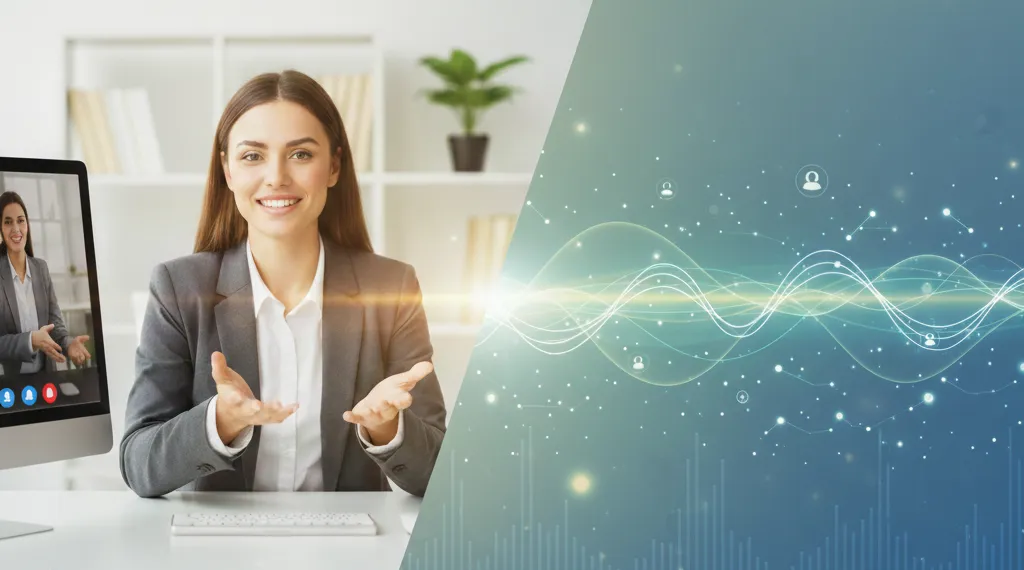
- Be Aware of Your Body Language - project confidence and engage the other person by using your hands. Don't sit there with your arms crossed. Try to look into the camera if you can. Standing up really helps when possible.
- Consider Your Background - ensure your surroundings are uncluttered, professional and distraction-free.
- Control Your Environment - avoid background noise or distractions for yourself and the interviewer. Ask someone to look after your children during the interview, keep pets in another room, delay putting on the washing machine or dishwasher until after the call. Tell everyone in your home that you want to maintain a peaceful, professional environment for the call. Ask your teenage daughter to turn off Slipknot for 40 minutes (I am talking from experience!)
- Dress to Impress - your appearance still matters.
- Practise Your Speaking Tone - speak clearly and confidently, with appropriate pitch and tone variation to engage the other person.
- Smile When You Dial and Stay Calm! Authenticity and composure are key.
Treat it as a face-to-face interview
Do the preparation for a first interview that you normally would - including researching the company beforehand (see our guide on researching companies). Be prepared to discuss your achievements, qualifications, and career history in detail, relating these relevantly to the role.
Prepare your opening conversation and have well-thought-out questions ready, just as you would for an in-person meeting. Dress professionally as for any business meeting. The advantage of a virtual setup is that you can keep relevant notes at hand to make subtle references, ensuring the conversation flows smoothly. Remember to actively listen, take notes, engage the interviewer with questions, maintain eye contact, and use humour where appropriate. Close for feedback and ask about next steps at the end of the meeting.
The Equipment
Most modern laptops have built-in webcams and microphones that are perfectly adequate. It is essential to test your equipment well in advance to ensure everything is working correctly and you know how to operate the platform (Zoom, Teams, etc.) before the interview starts. Do this early enough that, if there is a technical problem, you have time to resolve it before the meeting.
Ideally, do not attend from your phone unless this has been flagged and specifically agreed in advance of the meeting.
Just Before the Event
- Optimise Device Performance - close down all unnecessary browser tabs and applications so your device is dedicated solely to the meeting platform.
- Be More Than Punctual - log in and be ready in the virtual room at least five minutes before the agreed time. Remember - On time is late.
- Adjust Your Lighting - Avoid sitting with a bright window or light directly behind you (which creates a silhouette). Ideally, use a soft, adjustable light pointed at a wall near your face, or a ring light, to ensure you are clearly visible.
Professional Tip : A common piece of advice from media trainers is to turn off the self-view window. It’s natural to check your own appearance, which distracts you from focusing on the interviewer. Hiding your own image will improve your eye contact and make you appear more engaged and natural.
Record Yourself First
Some people feel awkward on camera initially, sitting stiffly or looking around the screen rather than at the lens. This can make you appear unnatural or disengaged to the interviewer, hindering rapport and stopping you from making that vital “connection”.
By recording a practice session, you can see how you appear on screen, how your voice projects, and how effectively you use body language and tone.
You might feel self-conscious talking to yourself, but reviewing this footage is the most effective way to improve your performance and rectify any tics or habits you may have been unaware of.
Do a Trial Beforehand with a Friend or Family Member
If you have a willing volunteer, schedule a mock interview. While you might initially share a laugh, this practice session is great for getting used to the technology, testing all the controls, and ensuring a professional delivery during the actual interview.
Send your volunteer a handful of sample interview questions to make it a true dress rehearsal. Ask for honest feedback:
- How was my tone and volume?
- Did I appear confident and engaged?
- Was the background professional, and the lighting adequate?
- Were there any distracting background noises?
This practice also helps you prepare how you want to establish rapport or break the ice, which is essential for the first few minutes of any meeting.
Be Aware of Your Body Language
Recording yourself beforehand will help you sound as natural as possible. Until holographic imaging becomes the norm, you will never be able to communicate as effectively as you would in a face-to-face interview, as there is the barrier of the screen and webcam for both parties. However, by being aware of your body language, you can ensure that your non-verbal communication skills come across.
Be aware of your hands - if you're normally quite an animated person who usually talks with their hands, then use them in the Zoom call! A big 'no no' is sitting back and crossing your arms.
Try to imitate the breathing pattern of the person that you are speaking to. This does two key things - firstly it helps you to 'tune in' to each other, and secondly, it will help you relax.
Make eye contact by looking straight into your webcam. Remember that shifting eye contact while speaking will make you look as untrustworthy as you would in a face-to-face meeting.
Finally, and most importantly, SMILE, LAUGH and GET ON WITH THEM like you would in any other sales interview. The technology is free, so take your time, enjoy the meeting and go 'off track' about personal interests and the like as you would in a conventional interview.
Be Aware of What's Behind You on the Call
In a virtual interview, your background is part of your professional presentation. Ensure it is organised, tidy, and clutter-free. Remove anything that might create an unprofessional appearance or, worse, distract the interviewer from what you are saying (e.g., inappropriate posters, an unmade bed, or overly personal photos).
Before the interview, check your setup using your webcam view, for example, by taking a still photo or pausing a practice recording. Examine the details: Is there a peeling patch of wallpaper? Is the book on your shelf suitable for a professional audience?
Don't let an innocent mistake undermine your chances. A plain wall or a blurred background feature provided by the software is often the safest bet.
Be Aware of the Noise That's Around You
If you are interviewing from home, take control of your environment:
- Move pets to another room and ensure a friend or family member takes the children out for the duration of the interview.
- Turn off all televisions, radios, and house phones.
- Put your mobile phone on silent and out of your view.
Microphones are highly sensitive and can pick up every little sound. Inform others in the house about your important meeting, ask for their cooperation, and hang a "Do Not Disturb" sign on the door.
In conclusion, prepare thoroughly, relax, enjoy, and always ask what the next stage is. Once you've got the first one out of the way you will feel more natural and comfortable moving forward. Always remind yourself, there is no such thing as an interview, only a business meeting of equals!
Dress to Impress
I don't know why, but in my experience, interviewees don't dress as well as they would in a conventional interview - for instance, messy hair, casual clothes and a general air of 'nonchalance'. I know you're at home and you may feel a bit self-conscious talking to a computer, but you should dress exactly the same as you would for a conventional interview (well, the top half, anyway!). Not only will this ensure that the interviewers do not have any preconceived notions about you, but it will also help you feel professional and in 'interview mode'.
Be aware that patterns can be distracting and look a little messy on screen. You can't go wrong with dark blue and black suits.
One of the great benefits of video interviewing though, is it doesn't matter if you overdo the aftershave or perfume, you can wear your Homer Simpson socks, and you don't have to clean your shoes!
Practise Your Speaking Tone
Perhaps speak a little more slowly than you normally would (mirror the interviewers) and a little louder (but not too much). Position your webcam so you can sit with your back straight, facing it directly. Speak clearly and be aware that if you're being interviewed from abroad, there may be a few-second time lag.
Smile When You Dial and Stay Calm!
Smiling makes you look more friendly, more engaging, more positive, more confident, and overall lifts your own spirits. Video conferencing is really not pleasurable the first time, so do it with a smile, sit upright, relax, and enjoy - honestly, it does become easier and less scary!
....and finally
Prepare thoroughly, relax, enjoy, and always ask what the next stage is. Once you've got the first one out of the way, you won't be so self-conscious, so congratulations!
5 Great Tips for Telephone Interviews
Date published: 6th August 2025

Search jobs
With hundreds of jobs available, now is the time to look for your perfect position

by Rob Scott
Managing Director

About the author
Rob Scott
Rob Scott is the Managing Director of Aaron Wallis Sales Recruitment, a premier UK agency dedicated to connecting top-tier sales and marketing talent with diverse commercial sectors. With a career in sales recruitment spanning over 28 years, Rob has cemented his reputation as a definitive authority in the sales industry.
Before founding Aaron Wallis in 2007, he served as the Marketing & Sales Director for a £0.5BN recruitment group. A first-class History graduate with an MBA and a PgCert in Management Practice, Rob bridges the gap between academic rigour and practical market expertise. His insights, backed by some of the UK’s most extensive sales professional surveys, are frequently sought by global outlets including Forbes, The Independent, Medium.com, the FT, and Business Insider.
Please call us to discuss your next move
From our blog
Our employers say...
Our candidates say...